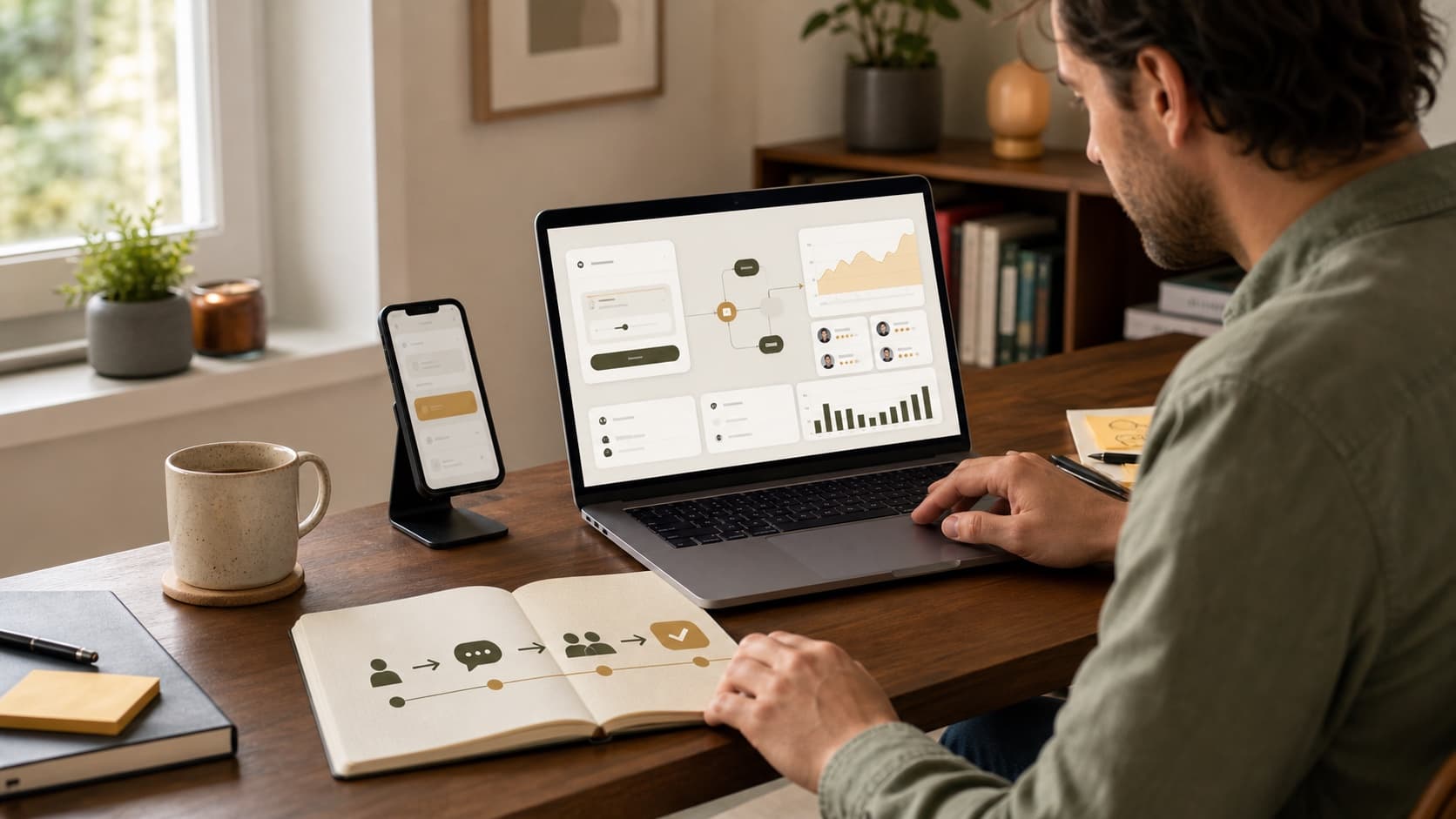
How to Make Money Vibe Coding in 2026 (Without Selling Broken Apps)
By Nora Bennett · July 5, 2026

Vibe coding is the 2026 side hustle with the largest gap between the sales pitch and the actual job. The sales pitch is: describe an app, let AI build it, collect $2,000 by Sunday. The actual job is less cinematic and more useful: understand one small business problem, turn it into a narrow working tool, test every path, launch it, explain it, and answer the email when something stops working.
That version can make money. It is also a real service, not a prompt trick.
This is the deeper guide behind the vibe-coding entry in my realistic side-hustle list: what beginners can safely sell, where Lovable, v0, Cursor, Replit and Bolt fit, how to price a project, and the line between a useful first client job and a liability wearing a nice gradient.
What vibe coding means when a client is paying
Vibe coding means using an AI builder or coding agent to create software through plain-language instructions, visual feedback and repeated testing rather than writing every line yourself. The phrase sounds casual. Paid delivery cannot be.
The client is not buying the way you produced the code. They are buying an outcome: fewer missed appointments, faster quotes, one place to see open jobs, a landing page that collects qualified leads. AI reduces the time between idea and first working version. It does not remove the need to define the problem, protect data, check the output or maintain the result.
That distinction is the entire business model:
| AI makes cheaper | The client still pays for |
|---|---|
| First drafts and layouts | Choosing the right thing to build |
| Repetitive code | Connecting it to the real workflow |
| Visual variations | Brand judgment and accessibility |
| Basic debugging | Testing the cases nobody prompted for |
| Deployment steps | Ownership, training and support |
If your offer is “I know how to use Lovable,” your price will fall whenever Lovable gets easier. If your offer is “I build quote calculators for residential contractors,” the tool can change five times and your offer still makes sense.
Seven small tools worth selling
Your first paid project should be useful, easy to explain and boring enough that the client already understands why it matters.
- Quote or savings calculators. A roofer's rough project estimator, an event planner's package calculator, a consultant's ROI calculator. Keep the result clearly labelled as an estimate.
- Lead-capture landing pages. One service, one audience, one form, one useful follow-up. Better than selling a vague “five-page website.”
- Client intake forms with a dashboard. Replace emailed PDFs and scattered notes with a clean submission flow and one internal view.
- Booking or inquiry pages. Good for businesses that still take every appointment by text. Use an established calendar provider rather than inventing a calendar system.
- Internal trackers. Job status, inventory, content approvals, maintenance requests or patient-recall demos built with fake data. Internal tools do not need to win a design award; they need to prevent something from being forgotten.
- Simple directories. A searchable list of vendors, grants, properties, venues or local resources that the client currently maintains in a spreadsheet.
- Spreadsheet-to-dashboard conversions. Turn a workbook someone already trusts into a cleaner interface without changing the underlying business logic. If this is your natural lane, the spreadsheet side-hustle guide pairs well with this one.
Notice what is missing: marketplaces, social networks, medical systems, investment tools, payroll, lending, complex ecommerce and anything holding data that would make the evening news if it leaked. Those may be buildable. They are not beginner client projects.
Two real prototypes you can turn into paid offers
A portfolio becomes useful when a buyer can see their own problem in it. These two prototypes show two different ways to make money: sell a custom business workflow to one organization, or use a consumer-app concept to win paid prototype and MVP work.
Example 1: sell Worlfol as a workflow service

The live Worlfol workflow prototype turns requests, approvals and overdue tasks into one visible workspace.
Worlfol is not merely “a dashboard.” It demonstrates a business result: an operations manager can see who owns a request, which approval is late and what needs attention next. The request templates for a new consultant, purchase request and travel request make the use case tangible.
The best potential buyers are organizations that still coordinate multi-step approvals through email, chat and spreadsheets:
- NGOs and nonprofits onboarding consultants or approving field expenses
- Agencies routing creative work through account, legal and client approval
- Consultancies managing proposals, contracts and deliverables
- Operations and procurement teams handling purchase requests
- Growing companies formalizing leave, travel or equipment requests
Do not sell it as “any app you can imagine.” Sell one outcome:
I turn one email-based approval process into a visual workflow with owners, due dates and a clear history, so requests stop disappearing in inboxes.
Here is one way to package that offer. These are example starting prices, not promises about what every market will pay:
| Offer | What the client receives | Example price |
|---|---|---|
| Workflow audit | A 60-minute process review, workflow map and improvement brief | $150–300 |
| Branded prototype | Their logo, terminology, sample requests and one clickable workflow | $500–1,200 |
| Working first workflow | Database, roles, notifications, testing, launch and handoff | $1,500–3,500 |
| Additional workflow | Another agreed request and approval process | $300–800 |
| Care plan | Backups, updates, monitoring and a small change allowance | $100–300/month |
The prototype is the sales tool, not the finished client system. Before calling a version production-ready, add authentication, role permissions, a database, notifications, an audit trail, backups, error handling and testing with the client's actual process. Build it in client-owned accounts and document who can see each request.
There are three monetization paths here:
- Custom implementation: adapt the workflow for one organization and charge a project fee.
- Productized service: specialize in one repeatable process, such as consultant onboarding for NGOs, and reuse your discovery checklist and delivery system.
- Template or subscription product: only after several clients prove that the same workflow is genuinely repeatable. Selling custom work first is paid market research.
Example 2: sell Lift IQ as a prototype before a fitness app

The live Lift IQ wired prototype demonstrates a recovery dashboard, workout session, progress, coaching and profile experience.
Lift IQ is polished enough to help a buyer react to a real product instead of an idea in a document. A coach can click through the experience, decide which information matters and test the concept with clients before paying for a full app.
Good buyers include online fitness coaches, personal trainers, boutique gyms, strength programs and early-stage wellness founders. The safest first offer is not “I will build the next Strava.” It is:
I turn your coaching method into a clickable member-app prototype that you can test with five clients before funding development.
Possible offers include:
| Offer | What the client receives | Example price |
|---|---|---|
| Concept sprint | Feature priorities, user flow and six to ten key screens | $300–700 |
| Branded wired prototype | Coach branding, program language and a clickable test experience | $500–1,200 |
| Coach MVP | Accounts, assigned workouts, progress records and a simple coach view | $1,500–4,000+ |
| Licensed template | A duplicate prototype customized by the buyer | $49–199 |
| Consumer membership | A later production app with a narrow promise | Test $9–29/month only after users validate it |
A prototype can also earn money indirectly. Use it to sell a paid discovery sprint, collect waitlist sign-ups for a founder, help a coach pre-sell a program or prove enough demand to justify an MVP. Five coaches paying for customization is stronger validation than five hundred social-media likes.
Keep the boundary honest. A recovery score shown in a prototype is sample interface content, not a medical conclusion. A production fitness product needs secure accounts, privacy terms, consent, real data integrations, deletion controls, payment handling and careful review of every health-related claim. Until those exist, sell Lift IQ as product design and validation—not finished health software.
Turn either prototype into a portfolio case study
Do not upload one screenshot and expect buyers to invent the rest. Give each project a small sales page containing:
- The problem in one sentence
- The buyer and user it was designed for
- One strong screenshot and the live prototype
- A 60–90 second walkthrough video
- What works today and what remains a prototype
- A fixed starter package with a price or price range
- One call to action: book a workflow review or request a branded demo
Lovable vs v0 vs Cursor vs Replit vs Bolt
You do not need all five. Pick the one whose workflow makes sense to you, then learn enough GitHub to keep a copy of the code somewhere the client can eventually own.
| Tool | Best fit | What to know before client work |
|---|---|---|
| Lovable | Fast client-facing sites and full-stack prototypes | Built-in publishing and backend options make the first version quick; run its security review and understand the hosting arrangement before handoff |
| v0 | Polished web interfaces, calculators and Next.js apps | Strong fit when the project will live on Vercel; it can add backend logic and databases, so scope can grow faster than expected |
| Replit | One-browser building, demos and varied small apps | Building and publishing live together; choose the correct deployment type and do not rely on a published app's local filesystem for persistent data |
| Bolt | Fast browser-based websites and database-backed demos | Built-in hosting, GitHub and database options are convenient; publishing an update is a separate action, and database rollback limits matter |
| Cursor | Existing codebases and people willing to work closer to the code | More control and a better long-term learning path, but you own setup, deployment and technical decisions the browser builders hide |
Here is the honest shortcut. Lovable, v0, Replit and Bolt help a beginner get to a visible result quickly. Cursor becomes more useful when you can already open a repository, read a diff, run a build and recover from a bad change. Start where you can finish. Move closer to the code as your projects become more valuable.
Do not choose by whichever tool generated the prettiest dashboard on social media this week. Build the same tiny quote calculator in two tools. Use the one where you can explain the files, export the work, correct a broken calculation and publish a clean update without panic.
The safe-project traffic light

Before accepting money, put the idea through this filter.
Green: sensible first projects
- Public marketing pages with contact forms
- Calculators that clearly explain assumptions
- Internal trackers using low-sensitivity information
- Directories based on public or client-owned data
- Dashboards that read from a controlled spreadsheet
Yellow: get experienced help
- User accounts and permissions
- Paid memberships or ecommerce
- Third-party APIs and automated email
- Customer databases and document uploads
- Anything the business cannot operate without for a day
Red: decline until you are qualified
- Medical or patient data
- Tax, payroll, lending or investment decisions
- Storing card details yourself
- Children's sensitive information
- Security, identity or access-control systems
“AI built it” is never a defence after a data leak. Use fake information while building, established payment and authentication providers where appropriate, server-side secrets, and a second technical reviewer when the risk moves beyond green.
What to charge for a vibe-coded project
Price the outcome and the boundary, not the number of prompts. These are sensible starting quotes, not market guarantees:
| Starter offer | Suggested scope | Starting quote |
|---|---|---|
| Lead page | One page, form, mobile testing, domain connection | $350–750 |
| Quote calculator | One calculation flow, results screen, disclaimer | $500–1,000 |
| Booking or intake site | Form, confirmation, calendar or email integration | $600–1,200 |
| Internal tracker | Login-free or single-team workflow, basic dashboard | $800–1,800 |
| Small client portal | Authentication, database and controlled access | $1,500–3,000+ after you have experience |
Every quote should say what is included: number of screens, integrations, revision rounds, copy responsibility, domain, hosting, analytics, launch and support period. It should also say what is not included. A “small booking site” becomes a small CRM in one enthusiastic phone call if the boundary is not written down.
My preferred beginner structure would be 50% to begin, 50% before launch, with one or two revision rounds and fourteen days of bug fixes after handoff. New features are a new quote. Hosting, domains, databases, email services and AI usage belong in the client's accounts whenever possible, so a cancelled card or disappearing freelancer does not take the business offline.
After launch, offer one of two clean endings:
- Handoff: code, accounts, credentials, a one-page guide and a recorded walkthrough. The client owns maintenance.
- Care plan: backups, updates, uptime checks and a small monthly change allowance for a clear monthly price.
A care plan is not passive income. It is being on call within the response time you promised. Price it like a responsibility.
The eight-step client workflow

1. Start with the current mess
Ask the client to show you how the task works today. Screenshots, spreadsheet, paper form, inbox, all of it. “Build me a dashboard” is not a requirement. “I need to know which estimates have not been followed up after three days” is.
2. Write the one-sentence outcome
Use this format: This tool helps [specific person] do [specific task] without [current pain]. If the sentence needs three “ands,” the first version is too large.
3. Draw the screens before prompting
Paper is fine. List the pages, what each page contains and what happens after each button. AI builds ambiguity very confidently. Remove the ambiguity first.
4. Build with fake data
Use invented names, emails, transactions and records. Connect live accounts only after the client approves the flow and you understand what information moves where.
5. Test like an impatient stranger
Use a phone. Leave required fields empty. Enter the wrong format. Refresh halfway through. Click twice. Use a long name. Check confirmation emails. Ask someone who has never seen the project to complete the main task without coaching.
6. Review the unglamorous parts
Page title, favicon, privacy link, error states, accessibility labels, analytics, form destinations, domain, backups, account ownership and what appears when there is no data. The empty screen is often the client's first screen.
7. Launch deliberately
Take a backup or commit, confirm the client's billing account, test the production URL and run the main workflow once more after launch. A preview working is not proof that production works.
8. Hand over before disappearing
Record a five-minute walkthrough. List every account and recurring cost. Explain how to make the common update, where form submissions go, how to contact you and what support is included. Professionalism is mostly removing future surprises.
A better first prompt
Do not begin with “make me a modern website for a plumber.” Give the builder the information a junior teammate would need:
Build a mobile-first quote-request page for a residential plumber in Greensboro. The visitor should choose the service type, describe the issue, select urgency and provide contact details. Do not calculate a final price or collect payment. After submission, show a clear confirmation and send the details to a placeholder endpoint. Use fake business information and sample submissions only. Include loading, empty, validation and error states. Before writing code, list the pages, data fields, assumptions and anything that could create a privacy or security risk.
The important line is the last one. Planning gives you a chance to catch the wrong app before AI produces three thousand lines of the wrong app.
Where to get clients and gigs

The fastest path is usually not waiting for someone to search for “vibe coder.” Look for people who already have the problem your prototype demonstrates.
1. Direct outreach to one niche
Build a list of 25 relevant organizations from Google Maps, LinkedIn and industry directories. For Worlfol, look for operations managers, procurement leads, nonprofit directors and agency owners. For Lift IQ, look for online coaches, gym owners and fitness-program founders.
Send five researched messages a day. Mention one real detail and link to the relevant prototype; do not scrape addresses or send a mass AI-written pitch.
Worlfol outreach example:
Hi Maya—your organization runs several community programs, so I imagine purchases and consultant onboarding involve more than one approval. I built this sample workflow workspace to show how owners, deadlines and approvals could live in one view: [prototype link]. If one process is still moving through email or spreadsheets, I can map it and create a branded prototype for $750. Would a 15-minute walkthrough be useful?
Lift IQ outreach example:
Hi Daniel—I saw that your coaching package includes weekly programming and recovery check-ins. I built this clickable fitness-app prototype to show how those touchpoints could feel in one member experience: [prototype link]. I can adapt it to your method and test it with five clients before you commit to development. A branded prototype starts at $600. Interested in a short walkthrough?
2. Your existing network
Ask former colleagues, local business owners, nonprofit teams, coaches and consultants one question: “Which approval, intake or follow-up process still lives in email or a spreadsheet?” Do not ask whether they want an app. Ask to see the frustrating process, then decide whether a small tool can improve it.
3. Upwork Project Catalog
Upwork Project Catalog lets freelancers publish fixed-scope services with images, tiers and add-ons. That suits a visual prototype better than a broad profile saying you build anything.
Create two separate listings:
- “I will build a custom approval-workflow prototype for your operations team.”
- “I will turn your fitness coaching program into a clickable app prototype.”
Use the screenshots above as portfolio evidence, define exactly how many screens and revisions are included, and make backend development an upgrade rather than quietly including it. Account for Upwork's freelancer service fee, which the platform says can range from 0% to 15% by contract.
4. Fiverr
Create two focused gigs instead of “I will build any AI app.” Fiverr's official Gig guide supports three packages, portfolio media, requirements and FAQs. Use that structure to control scope:
| Package | Example deliverable |
|---|---|
| Basic | Process review or feature map |
| Standard | Branded clickable prototype |
| Premium | Tested MVP or developer-ready handoff |
Ask buyers to provide their process, brand assets, users, required screens and definition of success before the order begins. State that integrations, subscriptions and production data systems require a custom quote.
5. LinkedIn case-study posts
Post the problem, three design decisions, a 30-second screen recording and the production boundary. End with a specific invitation: “I am looking for one nonprofit team to test a purchase-approval version,” or “I am offering two branded prototype slots for online coaches this month.” Specific availability creates a clearer response than announcing that you are open for work.
6. Referral partners
Web designers, automation consultants, operations specialists, brand studios and fitness-business coaches already hear requests they cannot build. Offer a clear referral fee or subcontracting arrangement. Show them your scope, pricing and handoff process so referring you does not put their reputation at risk.
Whichever channel you choose, track five numbers in a spreadsheet: researched prospects, messages sent, replies, calls and paid projects. After 25 thoughtful messages, improve the offer or audience before blaming the platform. One relevant prototype and one precise promise will outperform a gallery of imaginary startup dashboards.
Five mistakes that erase the margin
- Selling before you can recover. If you cannot roll back a bad change, export the code or restore the data, you are still practicing.
- Letting the prompt define scope. AI will happily add accounts, chat, payments and an admin dashboard. Every added system creates testing and support work.
- Owning every client account. Put domains, hosting and paid services in the client's name. Access can be granted; ownership is harder to untangle.
- Ignoring recurring costs. A $700 project with $90 a month in services is not a $700 decision. Show the client the ongoing number before launch.
- Calling a prototype production-ready. A polished homepage proves the homepage looks polished. It says nothing about permissions, data loss, form delivery or Monday morning.
Frequently asked questions
Do I need to know how to code? Not to build the first demo. To charge for increasingly complex work, you do need to understand what the tool created: where data lives, how secrets are protected, how deployment works, how to review changes and how to recover. “No code required” is an onboarding promise, not a permanent business strategy.
Which vibe-coding tool should a complete beginner choose? Use Lovable, Replit or Bolt if you want building and publishing in one browser workflow. Use v0 if you specifically want modern web interfaces and are comfortable with the Vercel ecosystem. Use Cursor when learning the code itself is part of your plan. The best first tool is the one you can use to finish, test and hand over one narrow project.
Can I tell the client AI built it? Yes. Do not hide a fact that matters to their contract, data policy or ownership. The useful conversation is not a dramatic confession about AI; it is a clear explanation of what was tested, where the code lives, which services process data and who maintains the result.
How long should the first paid project take? Quote a week or two even if the first version appears in an afternoon. Feedback, revisions, domain setup, mobile testing and handoff are the project too. Speed creates margin only when you keep enough time to check the work.
What should I build for my portfolio? One specific, complete demo: a contractor quote request, a photographer inquiry tracker or a tutor booking page. Show the problem, the working flow, mobile screenshots and a short explanation of the safety boundary. Three unfinished dashboards are worth less than one boring tool that works.
Build small enough to be responsible
The opportunity in vibe coding is real, but it is not that software stopped being work. It is that one careful person can now solve a small, expensive problem without a traditional agency budget.
Choose one audience. Build one narrow demo with fake data. Learn how it is hosted, how it breaks and how it gets handed over. Then sell the result, not the AI. When the first payment arrives, give it a job: taxes, an emergency fund, debt or whatever your budget decided before the money showed up.
The prompt starts the project. Responsibility is what makes it a business.

Written by
I fixed my own money with a spreadsheet and a Sunday morning, and now I build the tools I wish I’d had. I manage a dental practice in Greensboro, North Carolina, and I have never once told anyone their problem was the coffee.